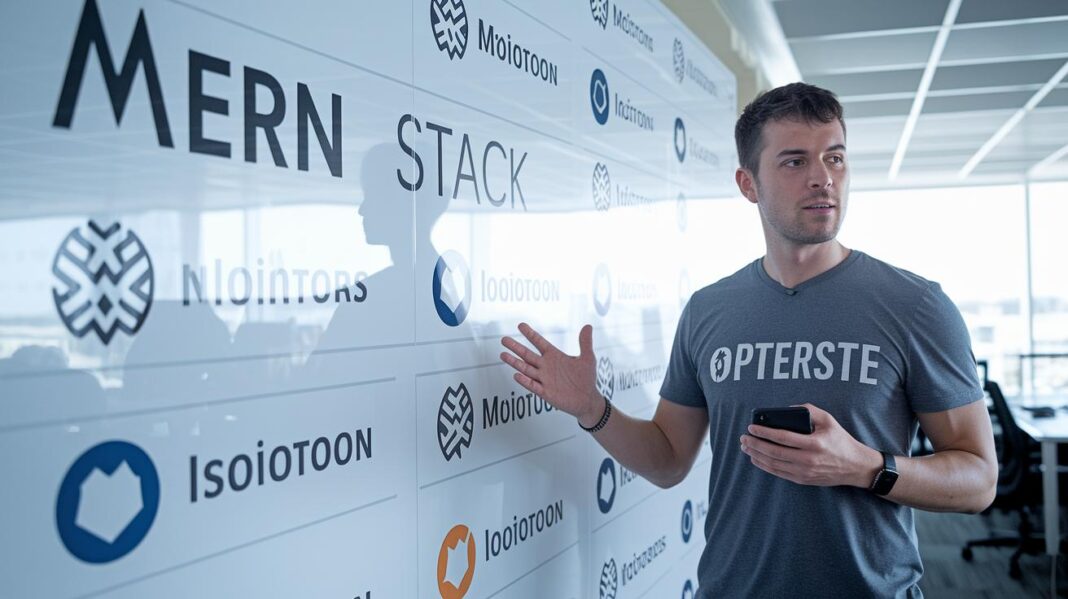
Ever notice how some websites almost seem to build themselves? The MERN stack makes it possible by mixing four key tools that work together seamlessly. MongoDB offers flexible data storage, while Express smoothly handles server requests. React brings a lively, interactive interface, and Node.js powers the backend. Together, they let developers create fast, scalable web applications with relative ease. In this post, we’ll break down how each tool plays its part and why the MERN stack might just change the way you build your next web project.
MERN Tech Stack: Elevate Your Web Development
The MERN stack is a handy mix of four tools that power full-fledged web applications. MongoDB stores data in a JSON-like format, making it easy to update your setup as your project grows. Express is a lean framework that simplifies how you handle web requests and route them on your server. React builds lively and interactive interfaces by refreshing only the parts of the page that need a change. And Node.js is the server engine that manages many connections using an event-driven, single-thread approach. Together, they form a solid base for modern web development.
When you work with the MERN stack, actions on your React front end trigger HTTP requests to Express running on Node.js. The server processes these requests, running any necessary business logic and fetching or updating data in MongoDB, before sending back a clear JSON response. Fun fact: a well-timed tweak to API responses once helped a modest project skyrocket into a popular productivity app!
This combination is perfect for creating single-page applications that load content smoothly, RESTful APIs that reliably serve data, and real-time interfaces that instantly update. Each component plays its part in harmony, ensuring that the front end, server, and database all work together to deliver fast, scalable, and engaging web solutions.
MongoDB Integration in the MERN Tech Stack

MongoDB works wonders in the MERN stack thanks to its flexible document model. Data lives in collections of JSON-like documents that effortlessly adapt as your project grows. Developers can either use the native MongoDB Node.js driver or opt for Mongoose. Mongoose, with its clear schema definitions and built-in validations, adds a layer of structure that helps keep things secure and easy to manage. Imagine each user profile as a neat little document that updates instantly without shaking up the whole system.
For high availability, it’s smart to index fields you query often, set up replica sets in case of failover, and consider MongoDB Atlas for managed clusters. This approach keeps everything running smoothly, even during those busy times.
When it comes to schema design, strategy matters. Embedding related data in one document can speed up reads by reducing the need for database joins. In contrast, referencing documents keeps data separate, which can be handy for managing overall document size and boosting flexibility. Depending on your query needs, one method might outshine the other. For quick data retrieval, embedding often works best, but referencing can minimize redundant data.
Express and Node.js in the MERN Tech Stack Backend
Express is the lightweight framework built on Node.js that makes setting up routes and managing HTTP requests super straightforward. It comes with handy middleware functions, so you can process requests through different layers of logic before sending a response. For example, you might create a route like this: "app.get('/api/items', (req, res) => res.send(items));". This simple yet solid approach keeps your back-end code neat and easy to maintain while laying the groundwork for RESTful endpoints that handle creating, reading, updating, and deleting data.
Node.js uses an event-driven, non-blocking I/O model, which means your server stays responsive even when handling many connections at once. Its single-threaded loop efficiently handles asynchronous tasks, whether it's reading files, querying a database, or processing API calls, so everything runs smoothly. Thanks to this smart design, response times are faster and you can avoid the heavy overhead that comes with traditional multi-threaded servers.
By using clustering with PM2, smart async/await practices, and features like Gzip compression, you set the stage for an effortlessly scalable backend. Plus, strategies such as centralized error handling, rate limiting, and structured logging help maintain both performance and reliability in a robust Node.js and Express framework.
Interactive React Interfaces in the MERN Tech Stack

React makes building web interfaces feel like assembling a puzzle. Each small piece, called a component, does its own job, much like a mini application. You can use hooks such as useState to keep track of a component’s data and useEffect to handle side tasks, making updates smooth and clear. For example, starting a counter component is as simple as writing "const [value, setValue] = useState(0);". Each component gets its data through props and only re-renders when needed, thanks to React’s smart handling using the virtual DOM.
There are several libraries that boost the power of React even more. React Router lets you jump between views in a single-page application without reloading the whole page. For managing shared data, developers often choose the Context API or Redux. And when it comes to fetching data from a backend, tools like Axios or the built-in fetch API come in handy. With JSX, writing HTML-like code inside JavaScript is straightforward and intuitive. An example might be "fetch('/api/info').then(response => response.json())", which shows just how easy it is to grab data and update your components.
React also works well with Express APIs, pulling in fresh data with clean endpoints and reliable JSON responses. This ensures your interface always displays the latest information from the backend, keeping everything in line with real-time updates.
MERN Tech Stack Architecture: Data Flow and Component Interaction
The MERN tech stack builds dynamic web apps with each part doing its own special job. React powers the user interface and manages state while user actions send HTTP requests. These requests glide through Express routes on a Node.js server, where middleware checks things like authorization, logging, and validation, before they land in MongoDB. MongoDB then handles storage and retrieval using simple operations like GET, POST, PUT, and DELETE.
| Layer | Technology | Responsibilities |
|---|---|---|
| Client | React | Builds the interface and keeps track of data |
| Server | Express | Manages routes, middleware, and core logic |
| Runtime | Node.js | Handles the event loop and runs the server |
| Database | MongoDB | Stores documents and processes queries |
Middleware sits at the heart of the server process. It checks incoming requests, ensuring proper authorization and logging every step so that each interaction remains secure and clear. After these checks, the data is formatted into JSON and sent back to the React client. This use of JSON keeps the data flow light and smooth, making sure that the front end and back end can keep up with continuous updates. In fact, this clear, layered approach lets every part of the MERN stack talk to each other through simple messages, making it a solid choice for creating responsive, modern web solutions.
Setting Up Your MERN Tech Stack: Installation and Configuration Guide

Setting up your MERN tech stack is a hands-on process that gets you ready for real development. Start by installing Node.js and npm, the backbone of your project, then set up your package configuration to easily manage essential server dependencies like Express, Mongoose, and CORS.
For the front end, a quick way to kick things off is to scaffold a React application with create-react-app or Vite. Use dotenv to neatly handle environment variables such as MONGODB_URI, and keep things organized by splitting your project into clear /client and /server folders. Adding scripts with concurrently lets you run both servers at once, and production tweaks like setting NODE_ENV=production, enabling Gzip compression, and using PM2 in cluster mode give your app that extra performance boost.
| Step | Action |
|---|---|
| 1 | Install Node.js and npm |
| 2 | Initialize npm and install server dependencies (Express, Mongoose, CORS) |
| 3 | Scaffold a React app using create-react-app or Vite |
| 4 | Configure dotenv and set up environment variables |
| 5 | Organize your project into /client and /server folders |
| 6 | Add scripts and install concurrently to run both servers together |
| 7 | Enable production optimizations like Gzip compression and PM2 |
After you complete these steps, test your setup by running both servers at the same time. If the React interface loads smoothly and your API endpoints respond correctly, you’re all set to dive into building your MERN application. Happy coding!
Advanced MERN Tech Stack Roadmap and Resources
Start by nailing down JavaScript basics, simple MongoDB create/read/update/delete operations, Express routing, React component structure, and a few Node.js performance tricks. Getting comfortable with these core ideas is like laying a solid kitchen counter before cooking a full meal.
Next, dive deeper into each part. Hone your skills by fine-tuning your MongoDB schema design and CRUD operations while testing out Express middleware for handling routes and validation. Boost your React know-how with state management and hooks, and get a grip on asynchronous coding with Node.js. This stage is all about building projects that feature dynamic interfaces, secure API endpoints, and smooth database interactions, each step reflecting real-world challenges.
Try your hand at practical projects like an authenticated todo app for user management, a real-time chat that uses WebSockets for live updates, or an e-commerce API that handles payment processing. These projects aren’t just exercises, they’re a way to tackle common industry problems head-on.
At the advanced level, zero in on quality and scalability. Practice testing with tools like Jest to keep your code reliable and embrace Docker containerization for smooth, consistent deployments. Set up CI/CD pipelines to automate your workflow, and explore cloud deployment options with services like AWS or Heroku. Supplement your journey with courses from MongoDB University, freeCodeCamp MERN tutorials, interactive labs on Codecademy, and in-depth classes on Udemy. This roadmap not only sharpens your technical abilities but also gears you up to build secure, high-performing systems using the MERN stack.
Final Words
In the action, this article showcased how MongoDB, Express, React, and Node come together in a concise yet powerful structure. It outlined the core architecture and installation steps, breaking down each component's role and their interplay with clear data flow. We wrapped up with practical tips and a roadmap for getting hands-on with your projects. Embracing the mern tech stack means simplifying your project setup while paving the way for smarter, more strategic decision-making. Keep pushing forward and experimenting with these technologies for ongoing success!
FAQ
What is the MERN stack full form?
The MERN stack full form stands for MongoDB, Express, React, and Node.js—a combination used for building complete web applications with JavaScript across both client and server.
What is MERN stack technology?
The MERN stack technology refers to the integrated use of MongoDB, Express, React, and Node.js, offering a streamlined, JavaScript-based approach for developing robust web apps.
How does the MERN stack compare to full stack development?
The MERN stack is a specific full-stack solution using JavaScript for both the front end and back end, while full stack development can encompass various languages and frameworks for different application needs.
Is the MERN stack backend or frontend?
The MERN stack covers both areas—React builds dynamic user interfaces on the front end, while Express and Node.js handle server-side operations, with MongoDB managing data.
Is the MERN stack suitable for beginners?
The MERN stack is beginner-friendly, with a wealth of tutorials and community support available; however, a basic understanding of JavaScript is recommended to get started effectively.
Is the MERN stack dead in 2025?
The MERN stack remains active and widely used, with continuous community development and modern updates ensuring its relevance well into 2025.
How can I learn the MERN tech stack?
MERN tech stack tutorials provide step-by-step instructions for setup and development, with platforms like Reddit, freeCodeCamp, and Udemy offering valuable resources to build practical skills.
What salary expectations exist for a MERN stack developer?
MERN stack developer salaries are competitive, influenced by factors like experience, location, and project complexity, reflecting strong demand in the tech market.
What is the MEAN stack and how does it differ from MERN?
The MEAN stack stands for MongoDB, Express, Angular, and Node.js, differing from MERN by replacing React with Angular for front-end development, which offers a different set of tools and approaches.
What are people discussing about the MERN stack on Reddit?
On Reddit, users share insights and experiences regarding the MERN stack’s benefits, challenges, and best practices, providing a practical perspective on its real-world implementation.