
Have you ever stopped to wonder how a scanned invoice turns into neat digital data? It’s not magic, it’s OCR technology. This tool might seem like just another piece of software, but it's quietly changing how businesses operate across the board.
Imagine flipping through a pile of old records and suddenly seeing them turn into clean, computer-ready text right before your eyes. That’s the power of OCR. It saves precious hours and lets companies work more quickly and accurately, almost as if the tedious manual work just disappears.
In this piece, we're diving into how OCR boosts efficiency in everyday tasks. It's all about reliability and spot-on precision, helping teams keep everything running without missing a beat.
OCR Technology Fundamentals and Definition
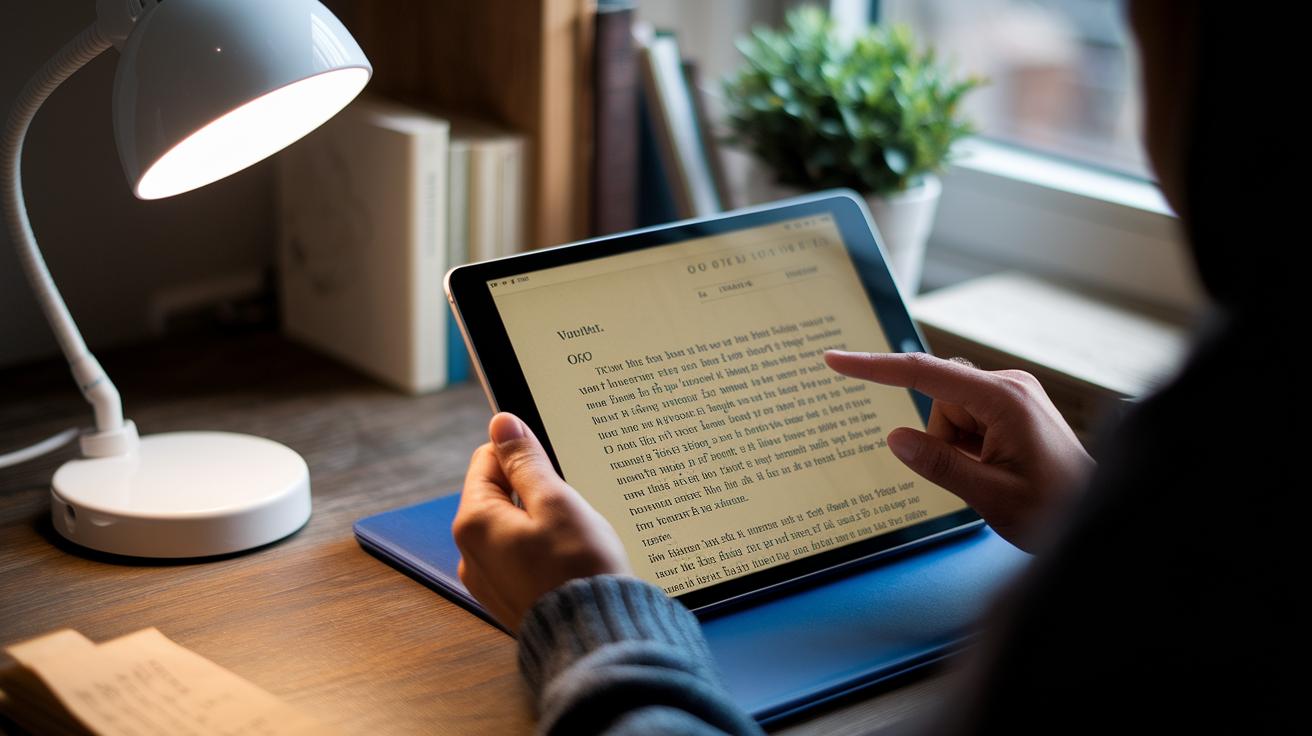
Optical Character Recognition, or OCR, is a tool that turns text from scanned images, PDFs, or even photos into computer-friendly text. In simple terms, it lets you edit, store, or reuse printed or handwritten material without retyping everything. Picture scanning an old letter and instantly having text you can update or analyze.
OCR has come a long way since the 1920s, when machines first tried to read simple printed characters. Back then, things were basic. Today, thanks to AI enhancements, OCR is much more reliable, reaching near-perfect accuracy in well-controlled settings.
Modern OCR operates in clear, easy-to-follow steps. First, a scanner or camera captures the document as an image. Next, the image gets a bit of a cleanup with methods like binarization (converting the image to pure black and white) and noise reduction to clear up any distracting marks. Then, the text is broken down into manageable parts, blocks, lines, and individual characters. After that, smart algorithms (from basic pattern matching to advanced AI) pick out and recognize each character. Finally, the system refines and formats the text to make sure it's as accurate as possible.
These steps work together to help businesses process documents smoothly, cut down on manual data entry, and reuse content efficiently. It’s like watching an old printed report turn into searchable, editable text right before your eyes.
OCR Technology Process: Core Phases and Techniques

Modern OCR systems go far beyond basic image scanning and simple text extraction. Today’s tools face real-world challenges like uneven lighting and skewed or low-quality images, using AI-powered pre-processing to smooth things out. Imagine scanning a dimly lit receipt, advanced binarization automatically boosts the contrast before moving forward.
When it comes to breaking down the image, newer segmentation techniques blend neural networks with classic pattern rules. This approach helps separate handwritten notes from printed text, even when character boundaries are fuzzy. One study on historical documents showed that fine-tuned segmentation can work wonders by making sure every character is clearly defined.
Text extraction has also seen big improvements. Deep learning models now handle a variety of fonts and busy, noisy backgrounds, turning cluttered images into neat, searchable text. It’s like having a tool that transforms a messy handwritten note into a coherent digital version while keeping its original flavor intact.
Post-processing is where AI really shines. Instead of just checking for typos, it uses context to fine-tune the final output, something traditional dictionaries just can’t do. Automated formatting then makes sure every detail matches the required specs, which is especially important when syncing with cloud-based systems.
- Image acquisition using optimized scanning that adjusts for lighting and distortions
- AI-powered pre-processing with techniques like adaptive binarization and noise reduction
- Neural network-enhanced segmentation of mixed-content text blocks, lines, and characters
- Deep learning models for character recognition that handle diverse fonts and noisy backgrounds
- AI-driven post-processing with context-aware error correction and text validation
- Automated output formatting integrated with real-time data validation systems
OCR Technology System Types and Recognition Methods

OCR uses different approaches to tackle various document challenges. Sometimes a simple system relies on matching scanned images to pre-stored templates. It works great with clear, printed texts but can struggle when the handwriting is messy or the fonts are unusual.
For more challenging tasks, Intelligent Character Recognition (ICR) learns from different handwriting styles. It’s a smart option when your document includes handwritten notes. Then there’s Intelligent Word Recognition (IWR), which processes whole words at once. This method speeds up projects that involve extracting large amounts of text. And if you’re dealing with forms, surveys, or ballots, Optical Mark Recognition (OMR) is your go-to. It accurately detects checkboxes, marks, or other symbols.
- Simple OCR Systems – Rely on fixed templates to consistently identify printed characters.
- Intelligent Character Recognition – Learns various handwriting styles to improve accuracy.
- Intelligent Word Recognition – Reads whole words in one go, which helps manage natural language flow.
- Optical Mark Recognition – Quickly spots marks, checkboxes, and symbols, perfect for standardized forms.
Each of these technologies shines in its own way. While template-based systems are ideal for clean, uniform texts, AI-driven methods like ICR and IWR handle mixed-content documents much better. And OMR offers fast and reliable analysis for standard forms, boosting overall efficiency in document processing.
OCR Technology Benefits and Limitations

OCR solutions streamline workflows by significantly cutting down manual data entry and reducing labor costs. Automated systems convert printed text into machine-readable formats, boosting speed and efficiency in document digitization. For instance, typed text accuracy often exceeds 99%, which is impressive in reducing recognition error rates. AI-powered OCR minimizes the time invested in document processing, meaning high-volume tasks get completed faster without additional overhead.
Yet, the technology faces challenges on specific fronts. Handwriting recognition tends to register between 90–95% under ideal conditions, and accuracy may dip when dealing with complex or mixed fonts and layouts. Poor image quality can also derail the extraction process, leading to errors that require human intervention. Without integrating automated workflows, managing large batches of documents may still prove to be both time-consuming and costly, despite the overall efficiency gains.
Balancing these benefits and drawbacks is key for businesses considering OCR adoption. As an example, think of a system that can instantly digitize incoming invoices, improving productivity, but might struggle with demographic variation in handwritten annotations, occasionally reducing overall accuracy.
| Benefit | Limitation |
|---|---|
| Reduces manual data entry and labor costs | Dependent on scan quality and document complexity |
| Accelerates document workflows | Handwritten text may not reach full accuracy |
| High accuracy for typed text | Mixed fonts and layouts can lower recognition rates |
| Improves overall productivity via AI enhancements | High-volume tasks require automated workflow integration |
OCR Technology Applications Across Industries

OCR technology is reshaping how organizations manage and store their documents. It's a real game changer for digitizing old archives, for example, turning long 17th-century texts into searchable online content. This not only preserves rare works but also makes them accessible for research and public exploration.
In the finance world, OCR works wonders. It turns paper invoices into organized data, easing expense processing and cutting down on errors from manual entries. This lets teams focus on planning and strategy instead of admin tasks. Banks use OCR too: they quickly pull key details from loan paperwork and check deposits, speeding up processing while keeping information secure.
HR departments have seen similar benefits. Automated resume parsing extracts key applicant details fast, making it easier to compare candidates and speed up hiring. And by digitizing receipts, organizations reduce paperwork and speed up reimbursements.
Mobile scanning apps add even more versatility. They let you snap photos of business cards, paper receipts, or printed materials and instantly turn that information into editable text. This on-the-go capability boosts productivity across all sectors, streamlining the conversion of paper documents into digital formats with ease.
Future Trends in OCR Technology and AI Integration

Machine learning is reshaping OCR in ways that might surprise you. These systems now learn and adjust in minutes rather than months, quickly fine-tuning their accuracy like an expert proofreader working nonstop. Imagine your document scanner getting better every time it works on new material, it's that intuitive.
Cloud-based OCR services are making a real impact by freeing companies from the need for heavy hardware. Instead, they scale on demand, letting even small businesses tap into cutting-edge technology without huge upfront costs. Picture your system automatically ramping up during busy hours, keeping everything running smoothly no matter what.
Open-source tools, such as Tesseract paired with Python, give developers the flexibility to build tailored solutions in no time. And looking ahead, the blend of OCR with large language models promises to add a deeper level of understanding. Think about not just reading text, but truly grasping its context and subtleties, a significant leap toward smarter document processing.
Final Words
In the action, we explored how ocr technology converts images into readable text, covering its fundamentals, step-by-step process, and diverse system types. We witnessed how these methods help improve workflows while identifying key strengths and challenges.
We also looked at practical uses across industries, from banking to mobile scanning, and peeked at future trends shaped by AI integration. This clear overview arms professionals with data-driven insights to make informed decisions in today’s dynamic environment. Stay optimistic and keep innovating.
FAQ
What is OCR technology software?
The OCR technology software refers to tools that convert printed text from images or PDFs into editable digital text by scanning and processing visual data using pattern matching and AI methods.
What are OCR technology companies?
The OCR technology companies develop and provide software that transforms physical texts into digital formats, serving industries that need document digitization and data extraction services.
What does OCR in computer mean?
The term OCR in computer describes the method computers use to convert images of printed or handwritten documents into digital text, enabling easy editing and digitization.
How does OCR in AI enhance text recognition?
The OCR in AI combines conventional text recognition with machine learning, boosting accuracy by learning from data and improving conversion rates in digitally processing printed materials.
What does OCR technology AI imply?
The OCR technology AI implies the integration of artificial intelligence with OCR systems, using advanced algorithms to quickly and accurately convert and analyze printed text across various documents.
What is an example of optical character recognition?
An optical character recognition example is scanning an invoice to convert printed text into editable digital content, streamlining data entry and record keeping in business processes.
What does OCR technology pdf do?
The OCR technology pdf feature converts text in scanned PDF documents into selectable and searchable digital text, allowing efficient editing and content management without manual retyping.
How does OCR work?
The OCR process works by acquiring an image, enhancing it through pre-processing, segmenting text, applying recognition algorithms or AI models, and finally post-processing to produce editable digital text.
What is OCR technology used for?
The OCR technology is used for digitizing printed documents, which speeds up data entry, improves searchable archives, and facilitates easy editing and analysis of text-based information.
Is OCR considered AI?
The OCR field benefits from AI enhancements; while traditional OCR uses fixed algorithms, modern systems merge machine learning to achieve more accurate and adaptable text recognition.
Is OCR replaced by AI?
The OCR field is not replaced by AI; instead, AI augments OCR by providing smarter recognition capabilities that significantly improve accuracy and processing speed in converting documents.